This Privacy Policy explains how CPAP Club Pty Ltd (ABN 99 622 428 942) ("CPAP Club", "we", "us" or "our") collects, uses, stores, discloses and protects your personal information when you use our website, place an order, or otherwise deal with us.
We are committed to protecting your privacy and handling your information openly and securely. Because we supply medical devices and may collect health-related information (such as CPAP prescriptions), we treat the protection of your information as a priority and handle your personal information in accordance with the Privacy Act 1988 (Cth) and the Australian Privacy Principles (APPs).
By using our website or providing your information to us, you consent to the collection, use and disclosure of your information as described in this policy.
What information we collect
The personal information we collect depends on how you interact with us. It may include:
- Your name and contact details (email address, phone number, delivery and billing address)
- Order and transaction history, including products purchased and warranty claims
- Account login details if you create an account with us
- Payment-related information needed to process your order (note: we do not store your full credit card details — see "How we keep your information secure" below)
- Records of your communications with us, including enquiries, feedback and support requests
- Demographic and preference information you choose to provide (such as postcode, interests, or survey responses)
Health information
To supply certain CPAP machines and equipment correctly, we may collect health information from you — for example, a prescription or details about your therapy settings when you upload a prescription or request custom machine settings. Health information is "sensitive information" under the Privacy Act and is given additional protection. We only collect it with your consent, only where it is reasonably necessary to supply the products or services you have requested, and we do not use it for any unrelated purpose.
How we collect your information
We collect information in the following ways:
- Directly from you — when you place an order, create an account, upload a prescription, complete a form, subscribe to our emails, or contact us by phone or email
- Automatically — when you browse our website, through cookies and similar technologies (see "Cookies and website analytics" below)
- From third parties — in limited cases, such as payment providers confirming a transaction, or a courier confirming a delivery
Why we collect and how we use your information
We use your personal information to:
- Process and fulfil your orders, including delivery, returns and warranty claims
- Provide customer service and respond to your enquiries
- Supply the correct CPAP equipment based on your prescription or therapy needs
- Manage your account and keep internal records
- Improve our products, services and website
- Send you marketing communications where you have agreed to receive them (see "Direct marketing" below)
- Meet our legal, tax, accounting and regulatory obligations
Direct marketing
From time to time we may send you promotional emails about new products, special offers and other information we think may interest you, using the contact details you have provided. You can opt out at any time by using the unsubscribe link in any marketing email, or by contacting us using the details at the end of this policy. We will action your request promptly.
Who we share your information with
We will not sell, rent or lease your personal information. We may share your information with trusted third parties only where it is necessary to provide our products and services or to meet our legal obligations, including:
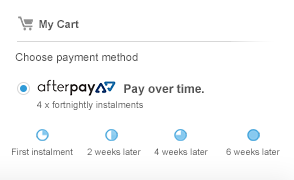
- Payment processors and "buy now, pay later" providers (such as our bank's payment gateway, PayPal, Afterpay, Zip and humm) to process your payment securely
- Delivery and logistics partners to fulfil your order
- Our eCommerce platform and IT service providers who host and support our website
- Analytics and advertising providers (such as Microsoft, Google and Meta) in connection with website performance and marketing
- Professional advisers, and government or regulatory bodies, where required or authorised by law
We only share the information reasonably necessary for these purposes, and we require our providers to protect your information.
Overseas disclosure
Some of the service providers we work with — particularly analytics, advertising and payment providers — may store or process information on servers located outside Australia, including in the United States. Where this occurs, we take reasonable steps to ensure your information is handled consistently with the Australian Privacy Principles.
How we keep your information secure
We take all reasonable steps to protect the personal information we hold about you from misuse, interference, loss, and unauthorised access, modification or disclosure. Your information may be held both electronically and, where necessary, in hard-copy form.
Our security measures include:
- SSL/TLS encryption to protect information transmitted to and from our website
- Firewalls, anti-virus software and email filtering to protect our systems
- Password protection and restricted access, so that only authorised personnel can access your information
- Physical, electronic and managerial procedures to safeguard the information we collect
We do not store your full credit card details. Card information is securely transmitted to our bank or payment provider for processing.
While we take these steps seriously, no method of transmission or storage is completely secure. If a data breach occurs that is likely to result in serious harm, we will respond in accordance with our obligations under the Notifiable Data Breaches scheme, including notifying affected individuals and the Office of the Australian Information Commissioner (OAIC) where required.
Cookies and website analytics
A cookie is a small file placed on your device that helps us recognise your browser and remember certain information. We use cookies and similar technologies to analyse website traffic, understand which pages are useful, remember your preferences, and improve and market our products and services.
We partner with Microsoft Clarity and Microsoft Advertising to understand how you use and interact with our website through behavioural metrics, heatmaps and session replay. This data is captured using first- and third-party cookies and other tracking technologies, and is used for site optimisation, fraud and security purposes, and advertising. For more information, see the Microsoft Privacy Statement. We also use tools such as Google and Meta technologies to measure website performance and support our advertising.
Most web browsers accept cookies automatically, but you can usually adjust your browser settings to decline cookies. Please note that disabling cookies may prevent you from taking full advantage of the website.
Links to other websites
Our website may contain links to other websites of interest. Once you leave our site using these links, we have no control over those websites and are not responsible for the protection and privacy of any information you provide while visiting them. Those sites are not governed by this policy, and we encourage you to review the privacy policy of any website you visit.
Accessing and correcting your information
You have the right to request access to the personal information we hold about you, and to ask us to correct it if it is inaccurate, out of date or incomplete. To make a request, please contact us using the details below. We will respond within a reasonable time and will not charge you for making a request (although a reasonable cost may apply for giving access in some cases). If we cannot provide access or make a correction, we will explain why in writing.
How to make a complaint
If you have a concern or complaint about how we have handled your personal information, please contact us first using the details below so we can try to resolve it. If you are not satisfied with our response, you can contact the Office of the Australian Information Commissioner (OAIC) at www.oaic.gov.au or by phone on 1300 363 992.
Changes to this policy
We may update this policy from time to time by publishing the updated version on this page. We encourage you to review it periodically so you are aware of any changes.
Last updated: June 2026
Contact us
For any privacy enquiry, request, or complaint, please contact us:
- Via our Contact Form
- Phone: 1300 992 727 (1300 99 CPAP)
- Post: CPAP Club Pty Ltd, PO Box 28, ASPLEY QLD 4034, Australia


 ResMed myAir, AirView & CPAP Data Downloads